
Category: A+ Core 2 (220-1202)
The CompTIA A+ Core 2 (220-1202) examination tests the practical, day-to-day software and administrative skills required of modern technical support specialists. Entry-level and transitioning IT professionals must manage diverse client environments—including Windows, macOS, Linux, ChromeOS, and mobile operating systems—while defending systems against malware and adhering to strict change management protocols.
This category delivers structured study resources, practical walkthroughs, and performance-based question (PBQ) review material mapped directly to Core 2 exam domains. Explore step-by-step operating system recovery guides, command-line interface (CLI) cheat sheets, malware remediation procedures, and scripting basics to ensure you pass your exam and excel in operational support roles.
-
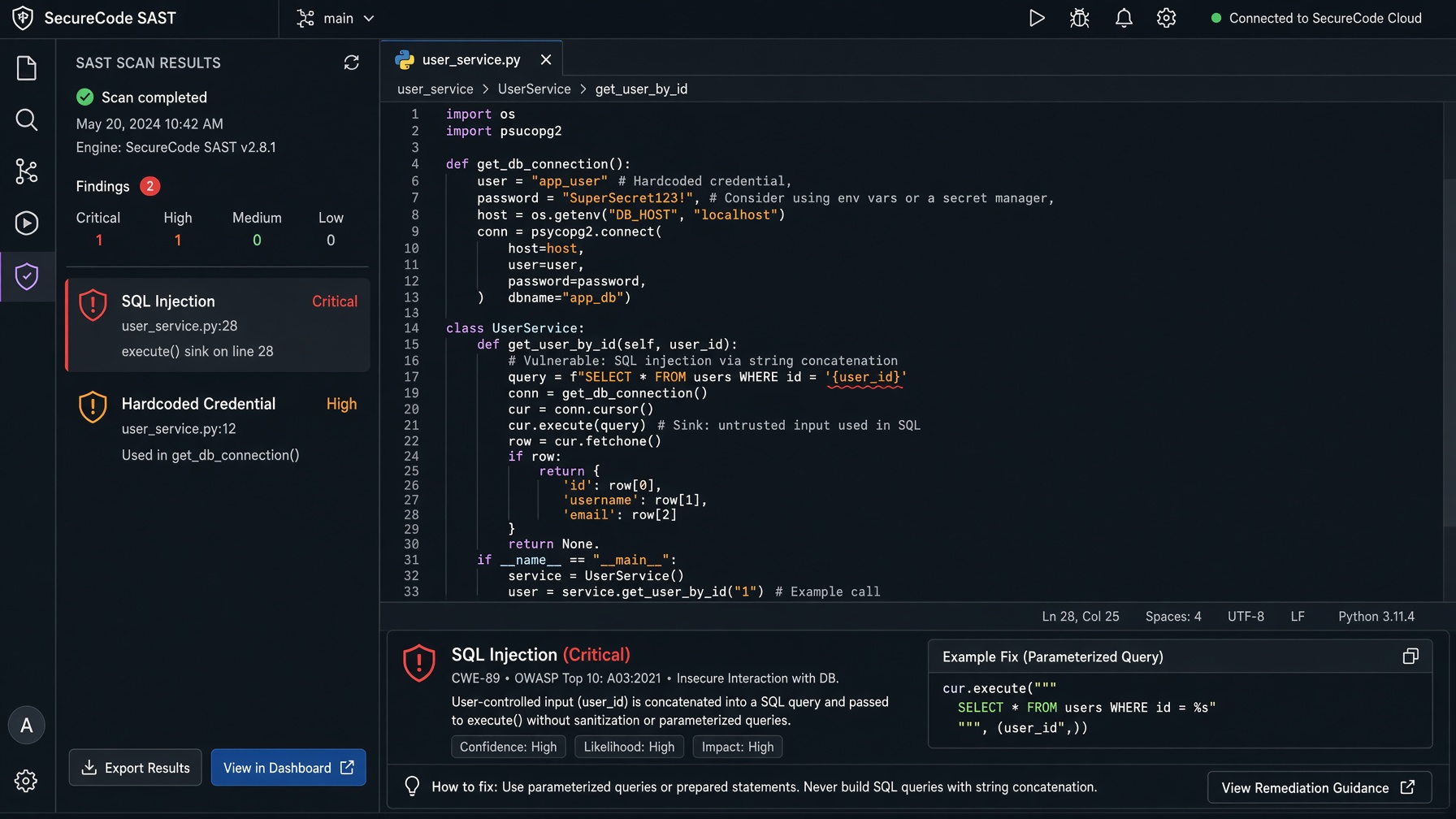
Securing the Software Pipeline: SAST vs DAST for Security+
Security teams stop code-level flaws and runtime exploits from reaching production by embedding Static Application Security Testing (SAST) and Dynamic Application Security Testing (DAST) into the continuous integration/continuous delivery (CI/CD) pipeline.
-
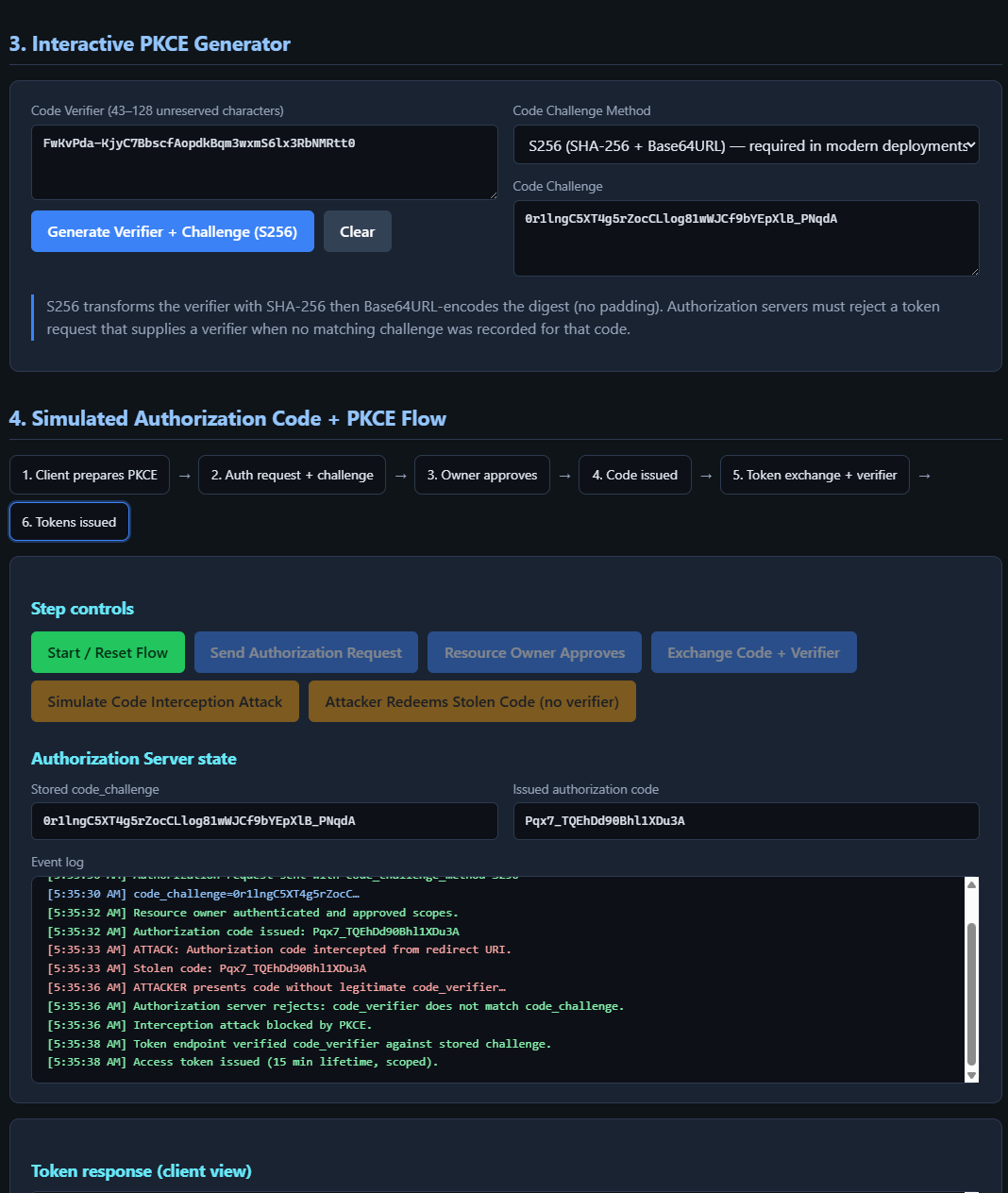
CAS-005 Lab: Implementing Proof Key for Code Exchange (PKCE) in OAuth 2.0
This lab maps to CompTIA SecurityX (CAS-005) objectives on API security (authorization), Open Authorization (OAuth), secrets/token handling, and Zero Trust continuous authorization. You generate PKCE values, drive a simulated Authorization Code + PKCE flow, detect interception, and harden the exchange.
-
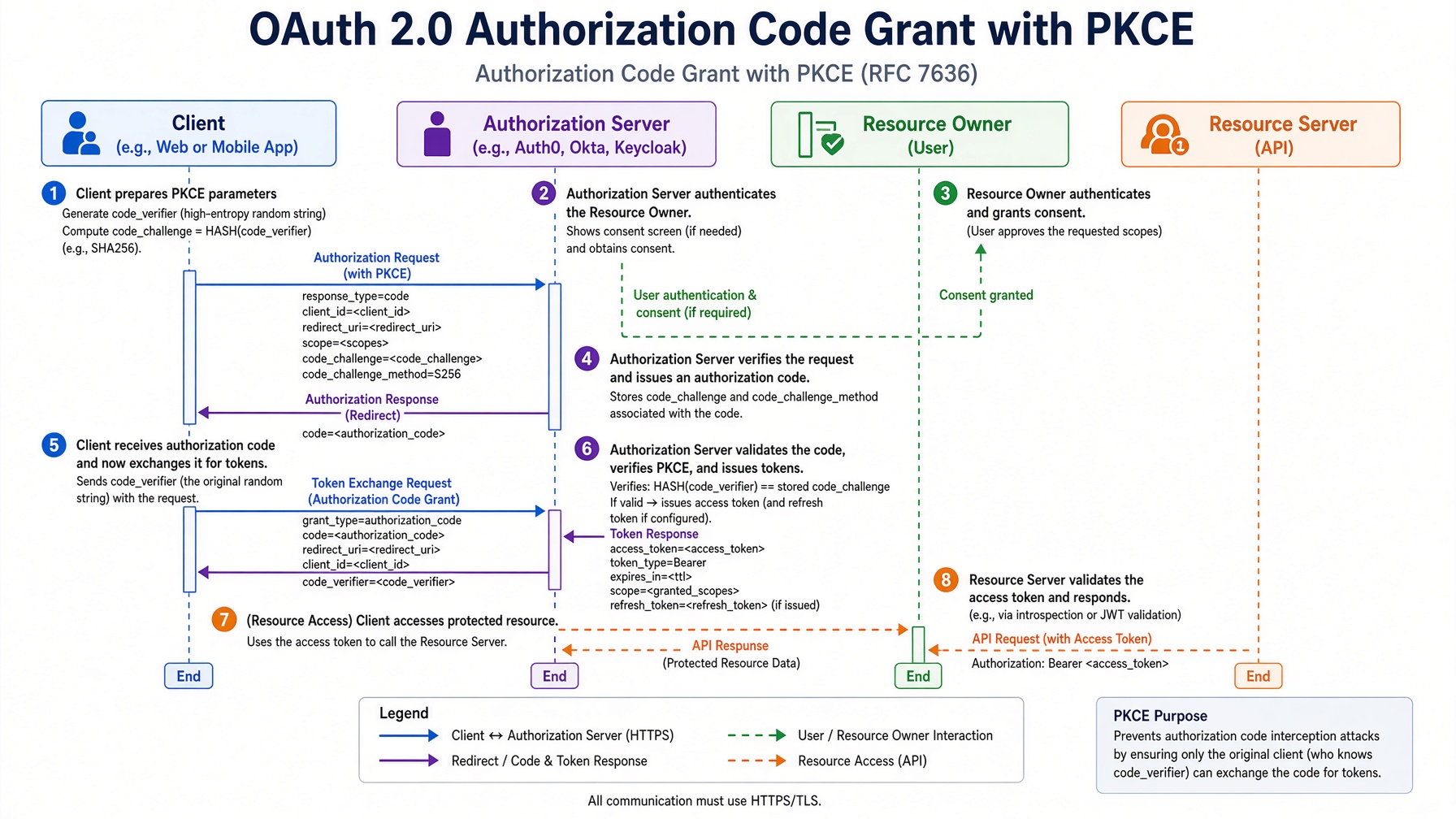
Securing API Authorization: OAuth 2.0 Grant Types and Token Hardening
OAuth 2.0 solves the problem of granting limited, revocable access to protected API resources without sharing user credentials. The protocol defines four roles—resource owner, client, authorization server, and resource server—and moves authorization decisions through token exchanges that enforce least privilege and continuous verification, aligning directly with CompTIA SecurityX.
-
Software Troubleshooting Frameworks
The CompTIA best practice troubleshooting methodology dictates a rigid, six-step framework to systematically diagnose, isolate, and resolve operating system and application failures. By applying this sequential logic, IT professionals eliminate guesswork, prevent collateral data loss, and rapidly restore software functionality in enterprise environments.
-
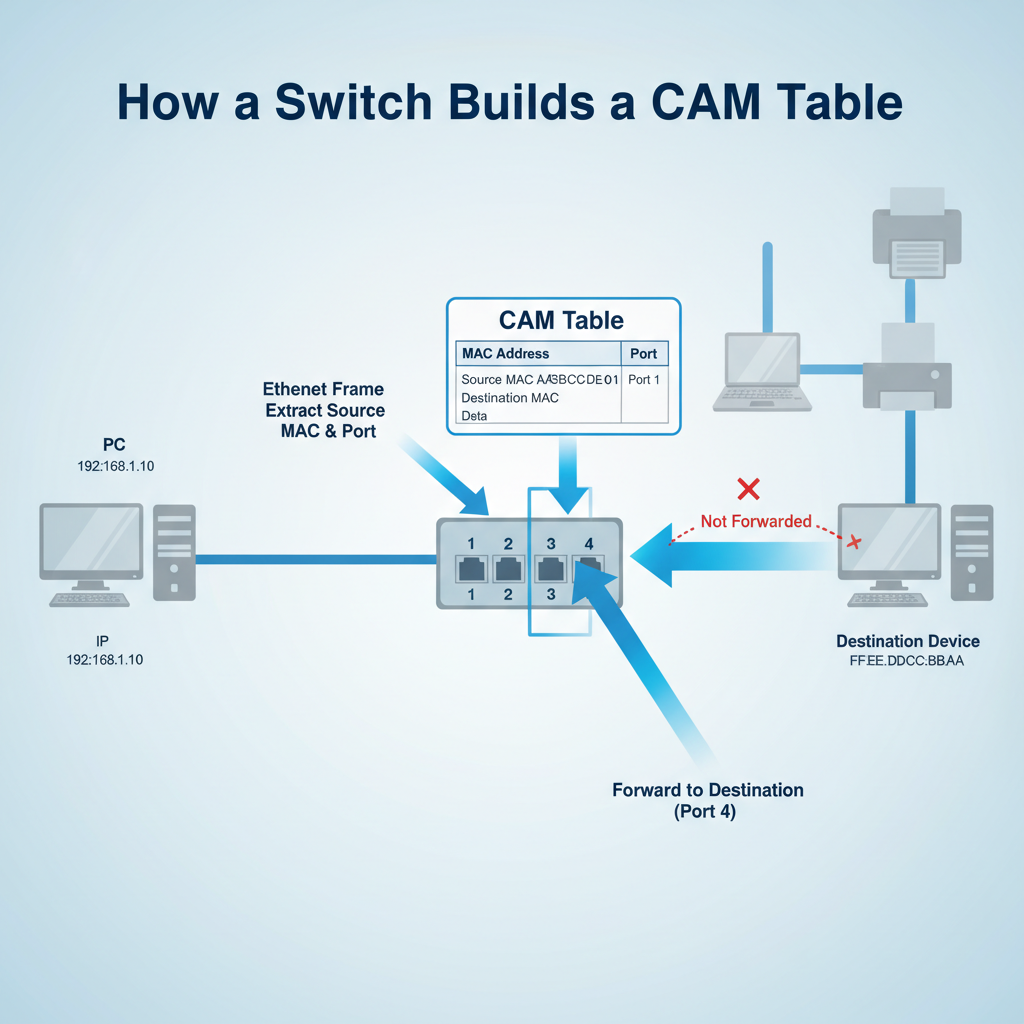
Network Hardware: Switches, Routers & Firewalls
Network hardware forms the physical backbone of IT infrastructure, directing data packets between local devices, external networks, and untrusted zones. Switches, routers, and firewalls operate at distinct layers of the OSI (Open Systems Interconnection) model to segment traffic, determine optimal routing paths, and block unauthorized access.
-
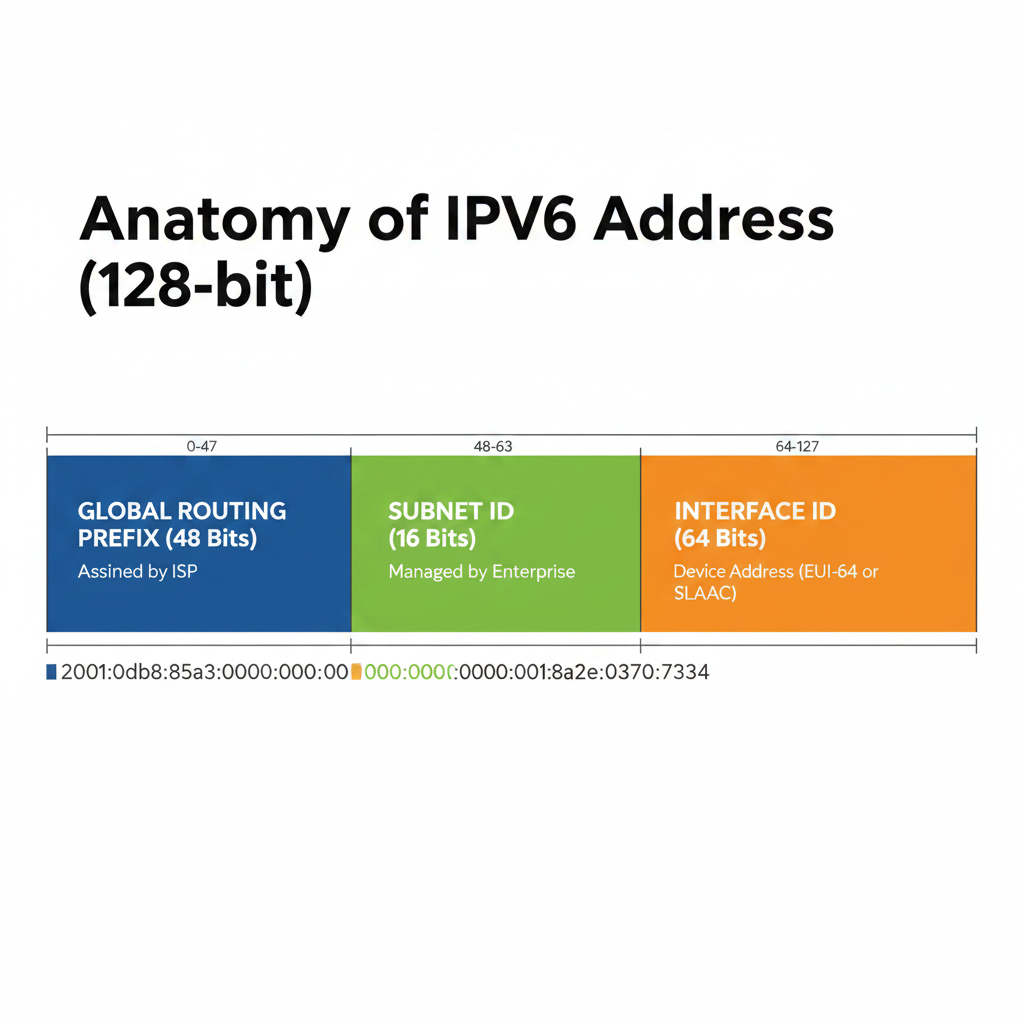
Subnetting Secrets: IPv4 vs IPv6 Architecture
Subnetting divides large, congested physical networks into smaller, isolated logical networks to contain broadcast traffic and enforce security boundaries. While IPv4 subnetting requires complex bit-borrowing to conserve a rapidly depleting address pool, IPv6 leverages a massive 128-bit architecture to eliminate scarcity and streamline hierarchical routing.
-
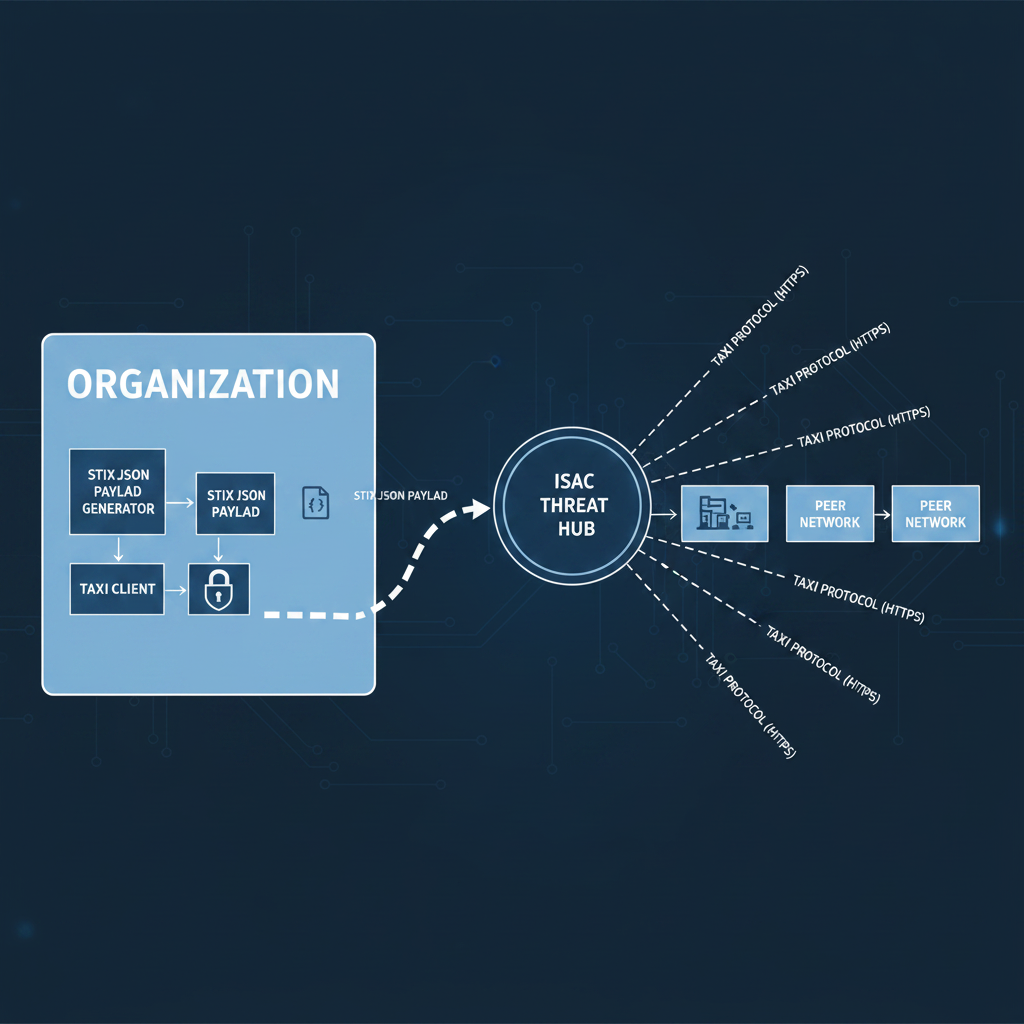
Threat Intelligence 101: Understanding OSINT, ISACs, and IoCs
Threat intelligence transforms raw attack data into actionable defensive strategies, enabling security operations centers (SOCs) to block adversaries before they compromise network boundaries. By analyzing open-source data, collaborating with industry peers, and tracking specific attack artifacts, security teams shift from reactive patching to predictive defense.
-
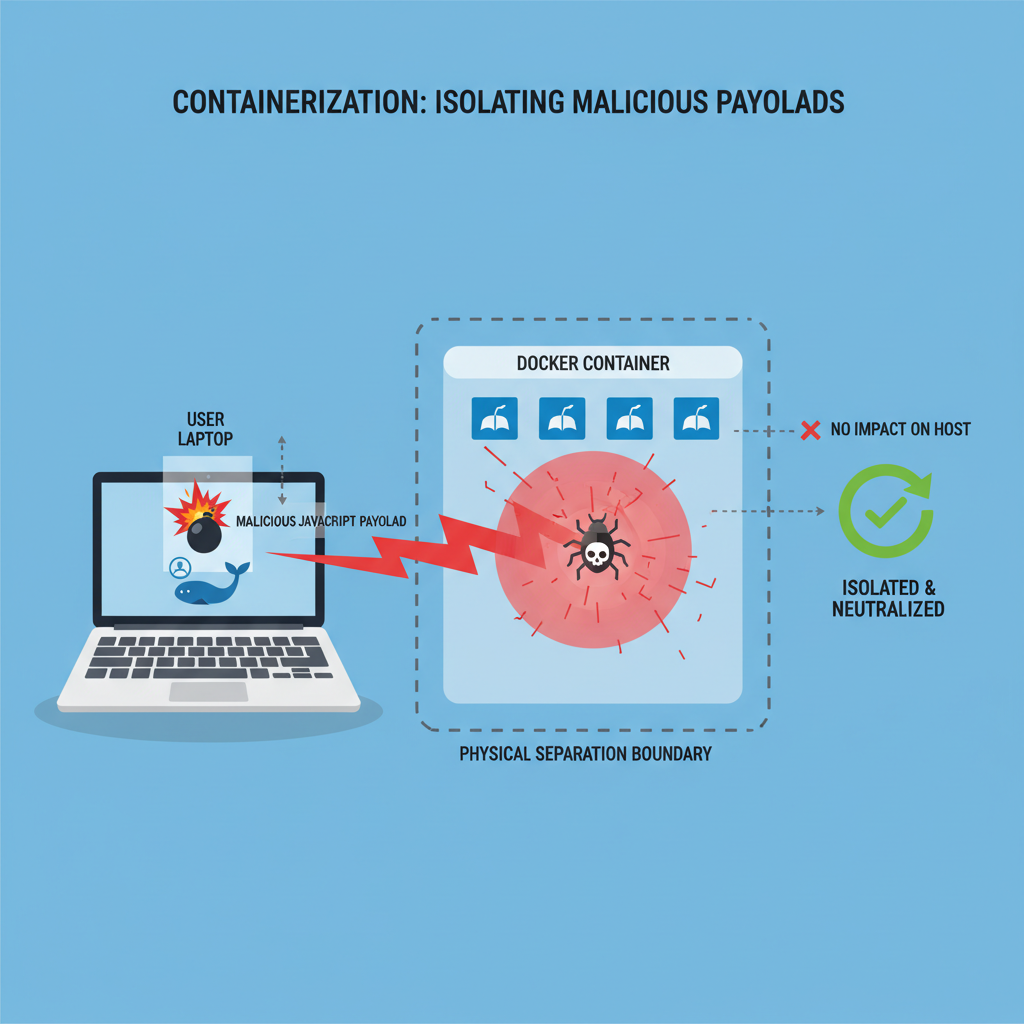
Implementing Remote Browser Isolation (RBI) to Stop Zero-Day Web Attacks
Remote Browser Isolation (RBI) executes active web content in a disposable, cloud-hosted container, neutralizing zero-day exploits before they reach the local endpoint. This architecture physically separates the web rendering process from the user’s machine, transforming potentially malicious code into a safe, interactive visual stream.
-
Lab: Mastering Diskpart and Chkdsk
After completing the assignment, administrators execute exit to safely terminate the session and return to the standard command shell. By chaining chkdsk repairs with diskpart reallocations, technicians fully restore storage accessibility without destructive formatting.