
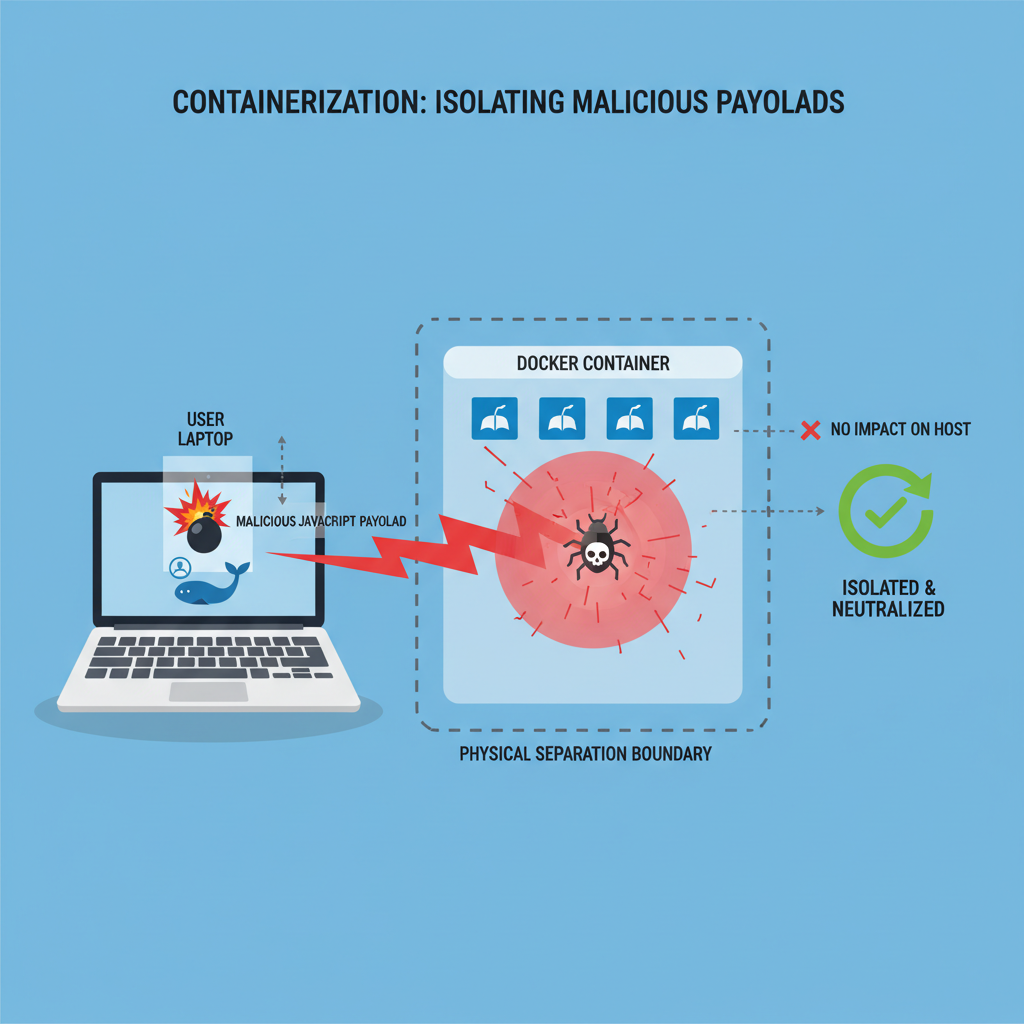
Remote Browser Isolation (RBI) executes active web content in a disposable, cloud-hosted container, neutralizing zero-day exploits before they reach the local endpoint. This architecture physically separates the web rendering process from the user’s machine, transforming potentially malicious code into a safe, interactive visual stream.
Zero-day web attacks leverage undiscovered vulnerabilities in browser engines to execute arbitrary code, steal session tokens, or establish persistent footholds. Traditional Secure Web Gateways (SWGs) rely on signature matching and heuristic analysis to block these threats. However, these reactive mechanisms fail against zero-day exploits because no prior threat intelligence exists. RBI fundamentally shifts this paradigm by operating on a Zero Trust assumption: all web content is inherently hostile. As security architects design resilient enterprise environments, understanding RBI mechanics remains critical for passing advanced certifications, such as those covered in the Ultimate Guide to CompTIA SecurityX (CAS-005).
RBI Architecture and Data Flow
When a user attempts to access a website, the enterprise network routes the HTTP/HTTPS request through the RBI gateway. The RBI platform intercepts this request and provisions a sterile, isolated container—typically a Docker container running a headless Chromium browser.
The cloud-hosted browser performs the actual connection to the target web server. It downloads the HTML, parses the Cascading Style Sheets (CSS), and executes the JavaScript. If the web page contains a zero-day exploit designed to trigger a heap overflow in the JavaScript engine, the exploit triggers inside the isolated container, entirely compromising the disposable instance.
The RBI platform never sends the raw web code to the local endpoint. Instead, the platform utilizes one of two primary isolation methodologies to deliver the content to the user:
1. Pixel Pushing (Video Streaming):
The isolated browser renders the Document Object Model (DOM)—the structural representation of the web document—and captures the output as a continuous sequence of images. The platform compresses these images and streams them to the user’s local browser, often utilizing the Web Real-Time Communication (WebRTC) protocol to ensure low latency. The user interacts with the website normally; when the user clicks a link or types a character, the local browser sends these input events via an encrypted WebSocket tunnel back to the cloud container.
2. DOM Reconstruction (Web Scrubbing):
The isolated browser parses the original website and strips out all active scripts, potentially dangerous HTML tags, and malicious objects. The platform rebuilds a sanitized, “clean” version of the DOM and forwards only this inert code to the endpoint. While this method consumes less bandwidth than pixel pushing, it provides slightly less security against highly sophisticated evasion techniques.
Traffic Interception Mechanics
To implement RBI, network administrators must direct user traffic to the isolation platform. This typically occurs via Proxy Auto-Configuration (PAC) files, endpoint agents, or generic routing encapsulation (GRE) tunnels.
text
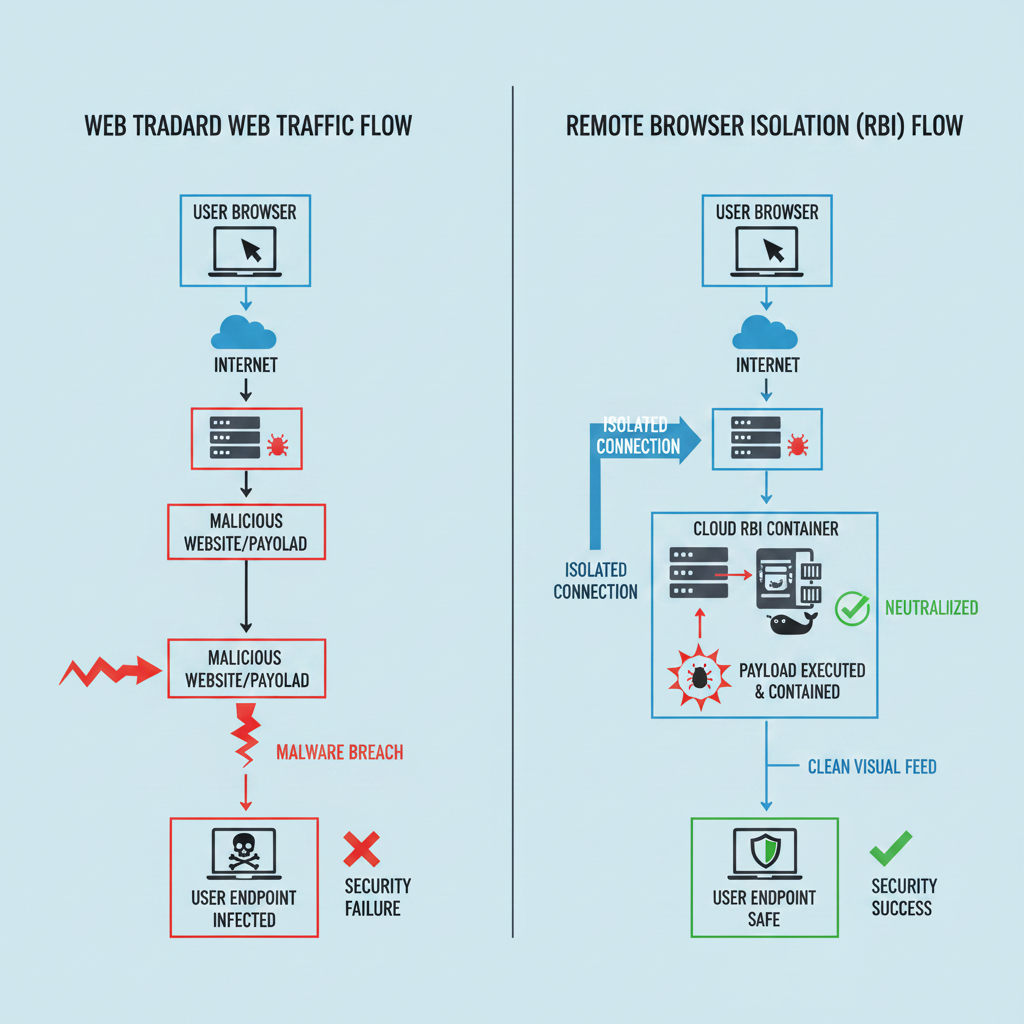
# Standard Web Traffic Flow (Vulnerable)
User Endpoint -> DNS Resolution -> Target Web Server -> Endpoint Downloads Malicious JS -> Zero-Day Execution

# RBI Traffic Flow (Secure)
User Endpoint -> Forward Proxy -> RBI Cloud Platform -> Target Web Server
RBI Cloud Platform (Executes Malicious JS) -> Converts to Pixels -> User Endpoint Receives Safe Video Stream
Once the user closes the browser tab or the session times out, the RBI platform destroys the container. This ephemeral architecture ensures that any malware, ransomware, or zero-day exploit perishes alongside the container, leaving the local endpoint completely uncompromised.
Leave a Reply